

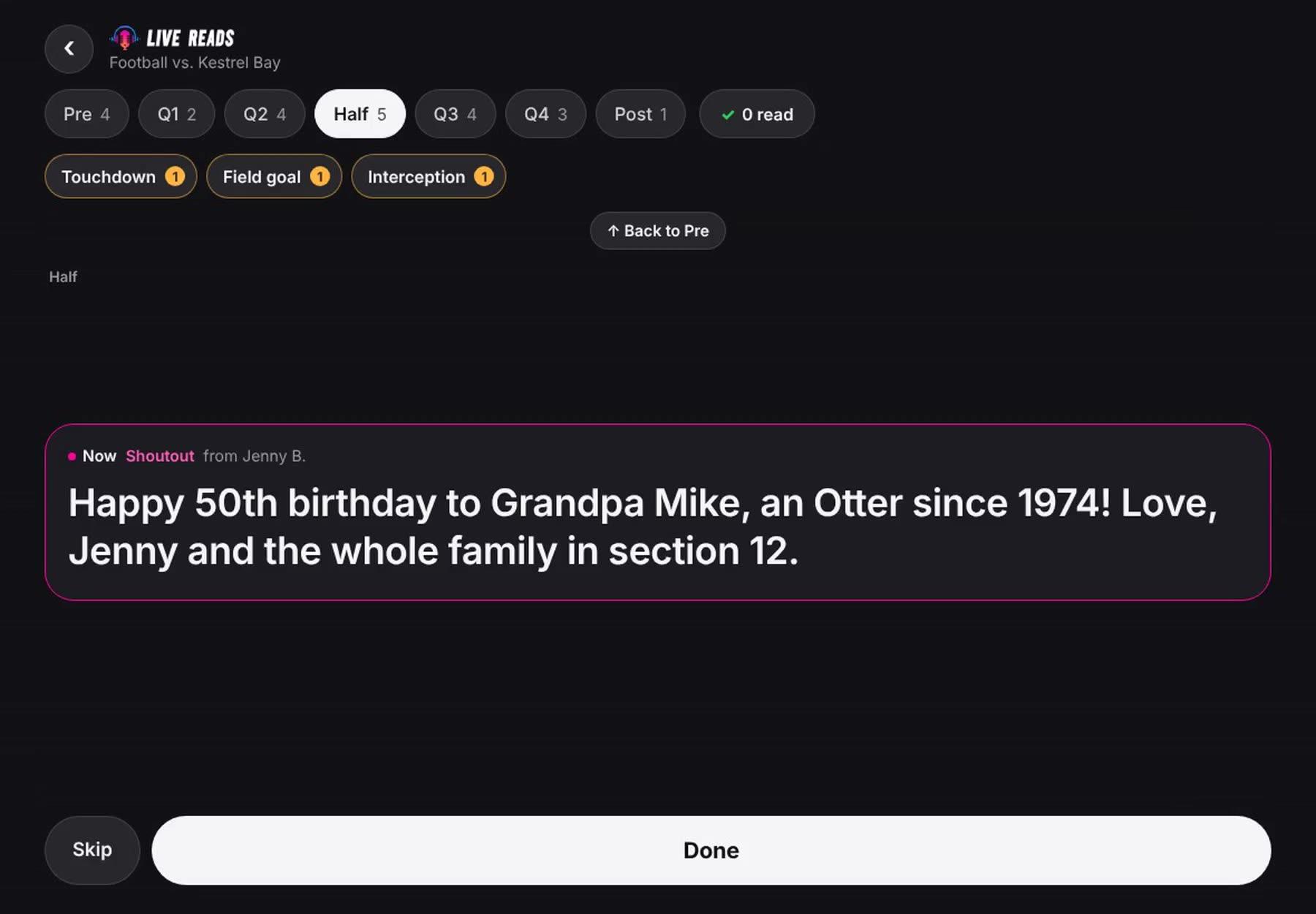
Everything for tonight. Nothing else.
- SegmentsEvery part of the night, and how many reads are in each.

- MomentsTouchdown? Its read is one tap away.

- Up nextThe next read, in the pink ring, big enough to read across the booth.

- DoneTap Done when it’s read, then Confirm. Skip moves it along.

No signal? Keep reading.
Tonight’s reads come down to the device before the event starts. Every tap waits there and goes through the moment there’s a connection.
Two devices in one booth stay in step within a second, and the first tap on either one is the time on the proof.
Tapped too soon? Undo.
Undo right after the tap, or put a read back from tonight’s list any time in the game. Mark it again when it really airs, and the proof shows the real time.
Your voice, on the record.
When your organization keeps clips, your device’s microphone keeps each read you confirm, and it goes on the sponsor’s proof with the second it aired.
Only the read, only once you confirm it. Skip it and nothing is kept.

Your booth, your way.
- Dark from the startEasy on the eyes in a dim booth. Light is one switch away.
- Text as big as you needSet the size once; every read follows it.
- Capital lettersEvery read in caps, if that’s how you read best.
- Fix a read on the flyEdit while reading, when your organization allows it.
- Face IDStay signed in until you sign out. Your face or fingerprint signs you back in.
Reads oniPhone · iPad · Android · Mac · any laptop
Tonight’s reads are waiting.
Your organization adds you by email. Sign in with that email, and you’re in.
On a laptop: app.livereads.com/announcerYour organization isn’t on Live Reads? It’s free to set up ›